Multi-Ticket View: Monitor multiple conversations from a single screen
Sep 22, 2026

Supervising a busy queue meant opening one ticket, reading it, closing it, and opening the next. Admins keeping an eye on several live conversations had to cycle through them one by one, and by the time they circled back to a conversation that was going sideways, the moment to step in had often passed.
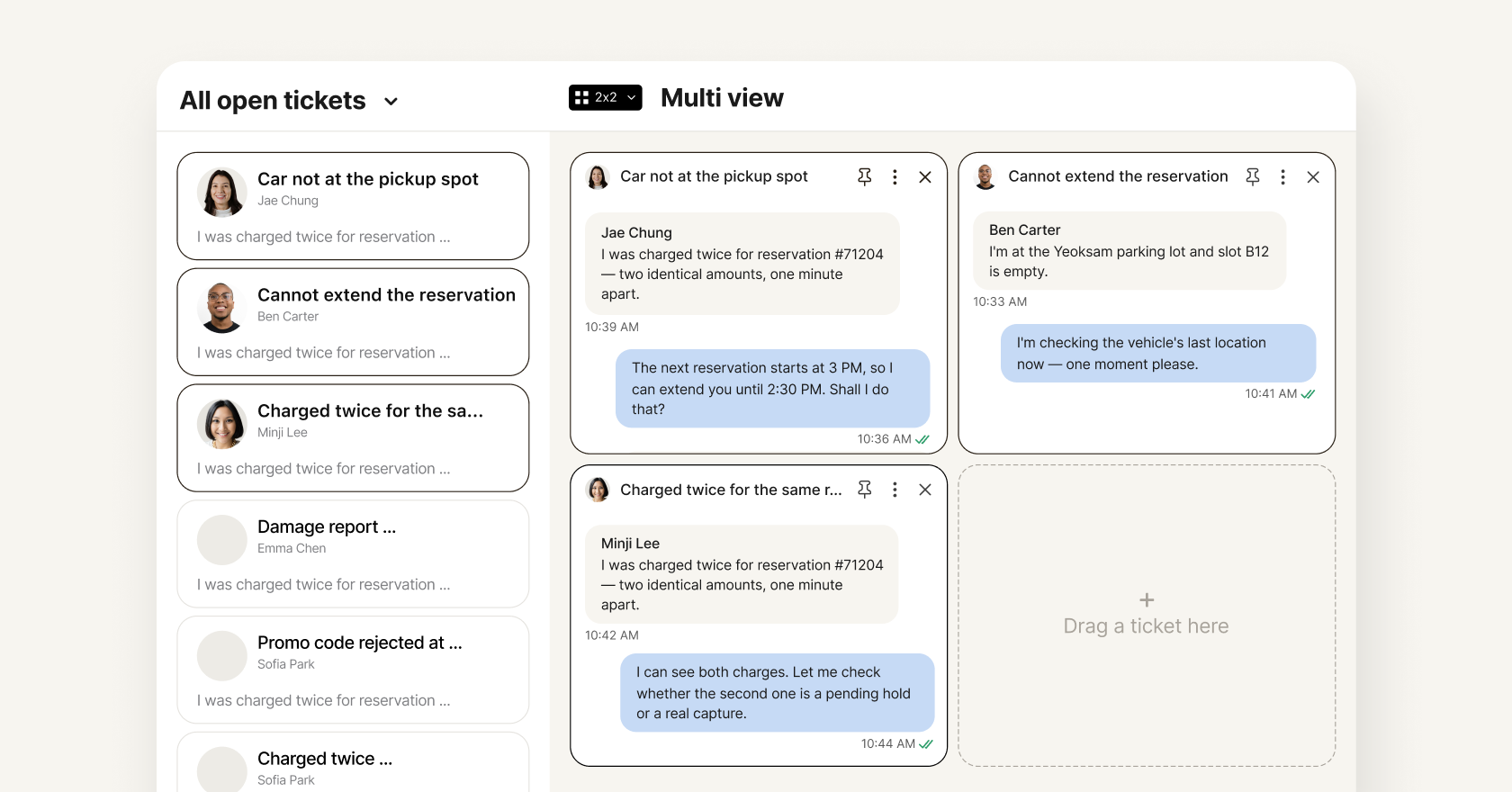
Multi-Ticket View puts those conversations on one screen, so admins can follow every conversation at once and act the moment one needs attention.
What's new
- Summarize or translate on the spot: Get an AI summary of a long conversation, or translate one in another language, right from its panel without opening the full ticket.
- Act without leaving the grid: Reassign a ticket, update its tags, change its status, or keep it from auto-closing, all from the panel menu.
- A layout built for how you supervise: Arrange up to 25 tickets in the grid size you choose, drag them into place, resize panels, and pin the conversations you can't lose track of.
- Live conversations, full context: Every panel updates as new messages arrive, and a details panel shows the full ticket information for whichever conversation you're focused on.
Supervising a queue no longer happens one ticket at a time. Admins see every conversation they care about at a glance and know exactly where to step in.