Custom Safeguard Categories: Define what your AI flags, not just how it responds
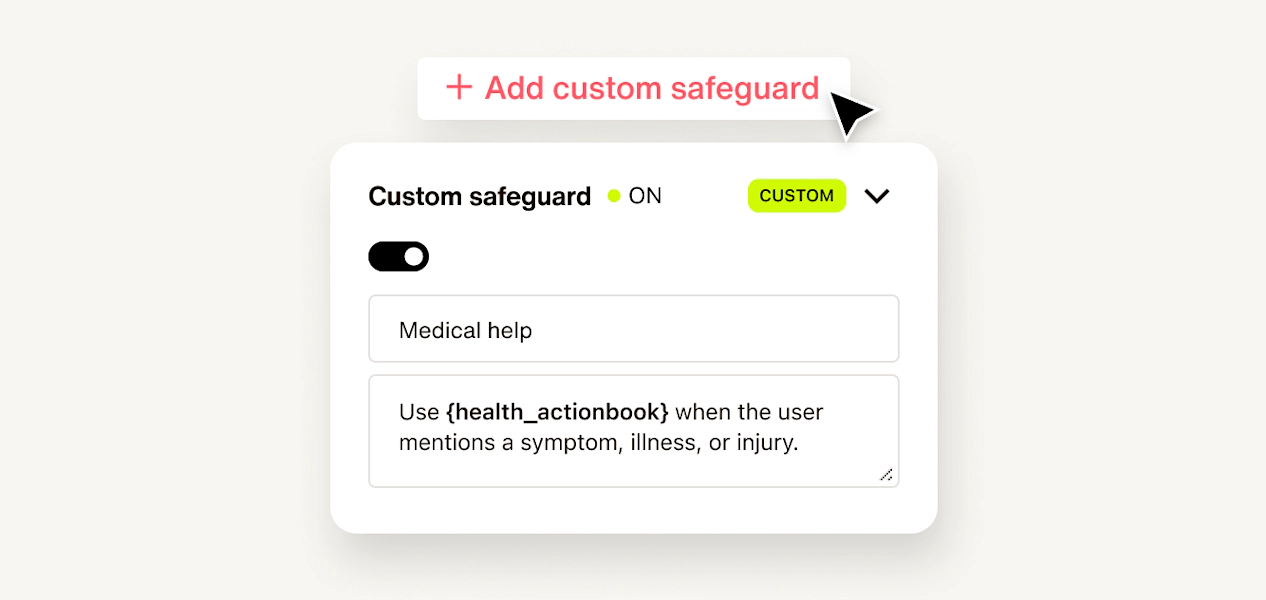
Every AI agent ships with the same four safeguard categories out of the box: harmful content, adversarial attacks, context injection, and banned words. For most deployments, that coverage is a solid foundation. But a financial services agent has different exposure than a retail one. A healthcare assistant has compliance-sensitive topics that generic safeguard lists don’t anticipate. A B2B platform may need to catch competitor mentions before they reach a customer.
Until now, operators could only extend detection through a limited set of banned words or phrases. Topics that fell outside the four built-in categories and couldn't be captured through keyword matching simply went unflagged.
Custom Safeguard Categories changes that. Dashboard operators can now define up to 10 detection categories of their own, tailored to their product, their industry, and their risk profile — without touching the built-in logic.
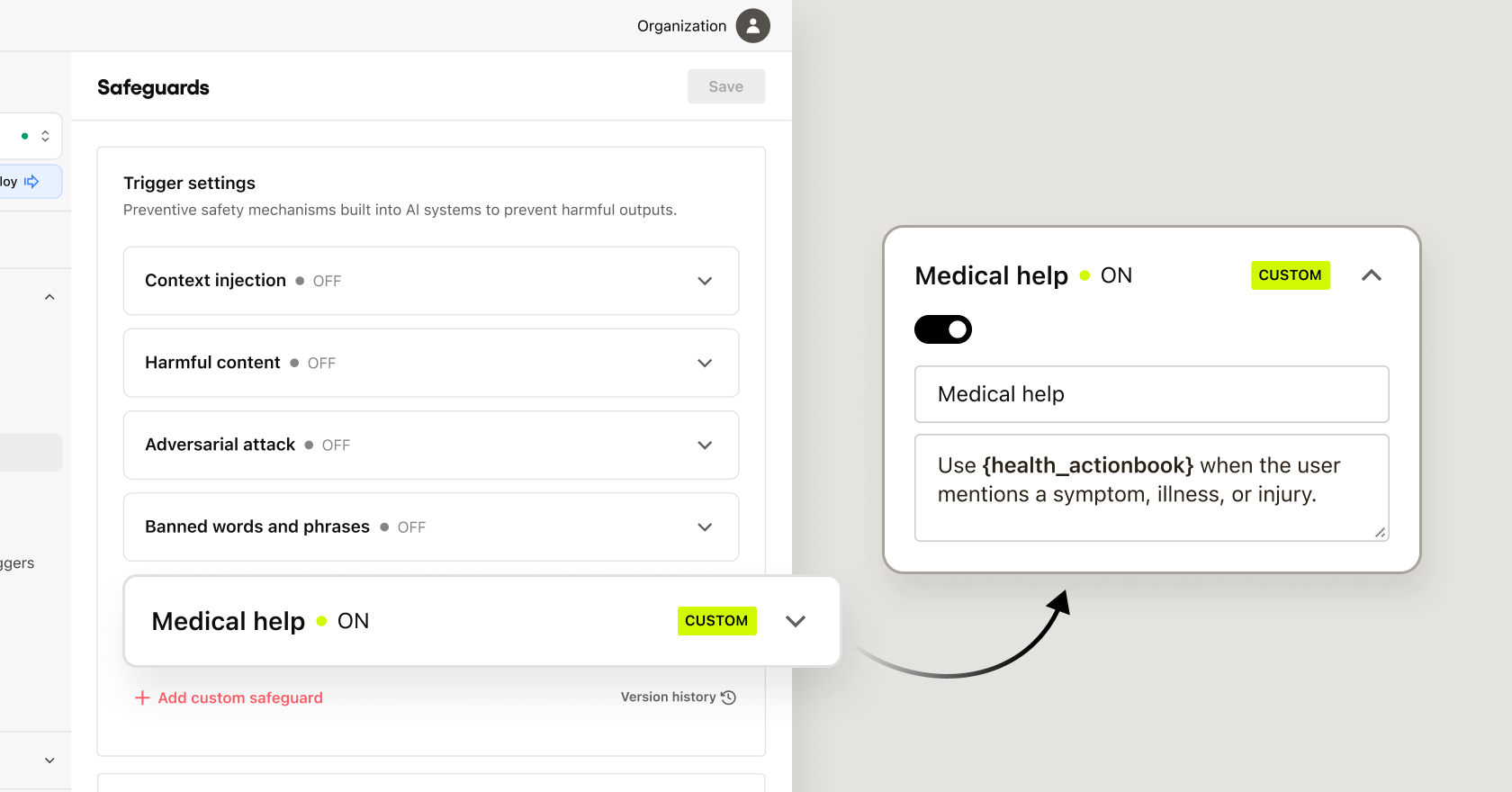
What's new
- Custom detection categories: Add up to 10 custom safeguard categories per agent, tailored to your product, industry, and risk profile.
- Granular control over default categories: Enable or disable individual built-in categories based on your use case. Adversarial attack detection always stays on. Everything else is configurable.
- Analytics for custom categories: Custom categories appear in Flagged Messages and safeguard rate statistics alongside the four built-in ones, giving your team a complete picture of what's being caught across the board.
- Version history for safeguard config: Changes to your safeguard configuration are automatically tracked, so you have a clear audit trail of what was turned on, turned off, or redefined and when.
Custom Safeguard Categories is part of Trust OS, giving operators the detection layer that matches their actual risk surface — not just a generic one.