Your AI agent handles thousands of customer conversations a day, and understanding it has always meant leaving the tools you already work in, pulling up a dashboard, exporting a report, and piecing the answer together by hand. That process is slow, and it only ever answers the question you thought to ask before you started digging. The Delight Agent MCP changes that. Ask a question about your agent in any MCP-compatible AI client, including Claude, ChatGPT, Cursor, or Codex, and it answers from your agent's live data directly, no export required and no second tool to open.
Picking up where the dashboard leaves off
Say your handoff rate jumps three points overnight. The dashboard shows you the number, but not the reason behind it. Finding that out today means pulling the conversations that got escalated, reading through a sample by hand, cross-referencing which knowledge articles were live that week, and guessing at a pattern. That's an afternoon of work to answer one question, and the moment a different question comes up, that process starts over from zero.
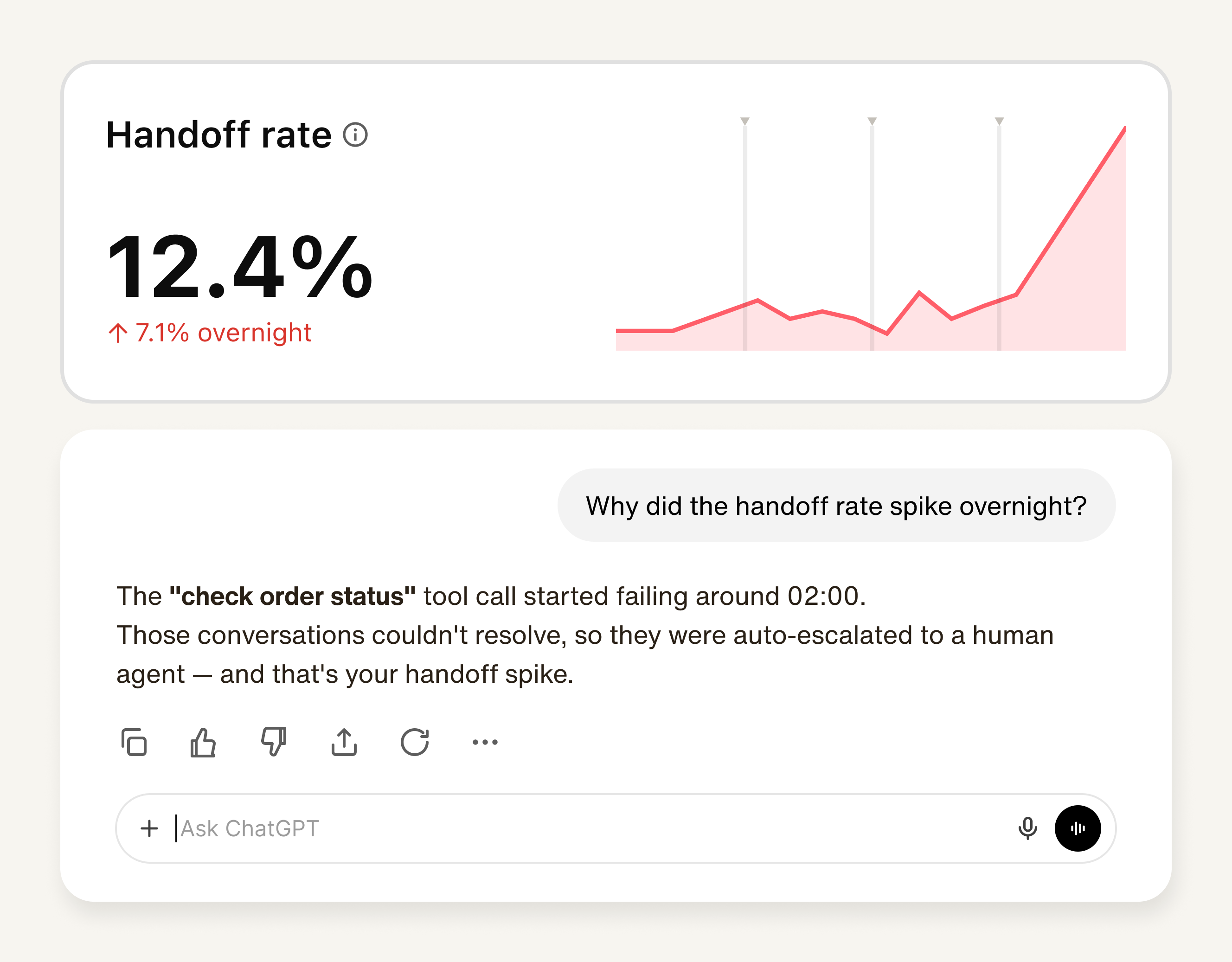
This isn't a data problem. Delight.ai's backend already tracks almost everything you'd need, which knowledge sources actually got used, which tools fired and which sat idle, exactly where the agent's confidence dropped mid-conversation. None of that reasoning has ever lived anywhere you could easily question it, because dashboards are built to show you what happened in aggregate, not to let you interrogate why.
The Delight Agent MCP puts those signals directly in the AI tool you already use to think through a problem like this one, so the investigation happens in the same place the question occurred to you. And once you know the check order status tool is the culprit, fixing it doesn't mean switching tools either. The same conversation that found the failure can update the tool directly, so diagnosis and fix happen without ever leaving the chat.
Ask it like you'd ask a colleague
There's no dashboard to open and no report to export. You ask a question the same way you'd ask a colleague, in plain language, in whatever AI tool you already use, and it answers from your agent's live data. "What was our AI resolution rate this week, and which inquiry category drove the most handoffs?" Ask it once, the way you'd ask a teammate, and get an answer built from your actual conversations instead of a chart you have to interpret yourself.
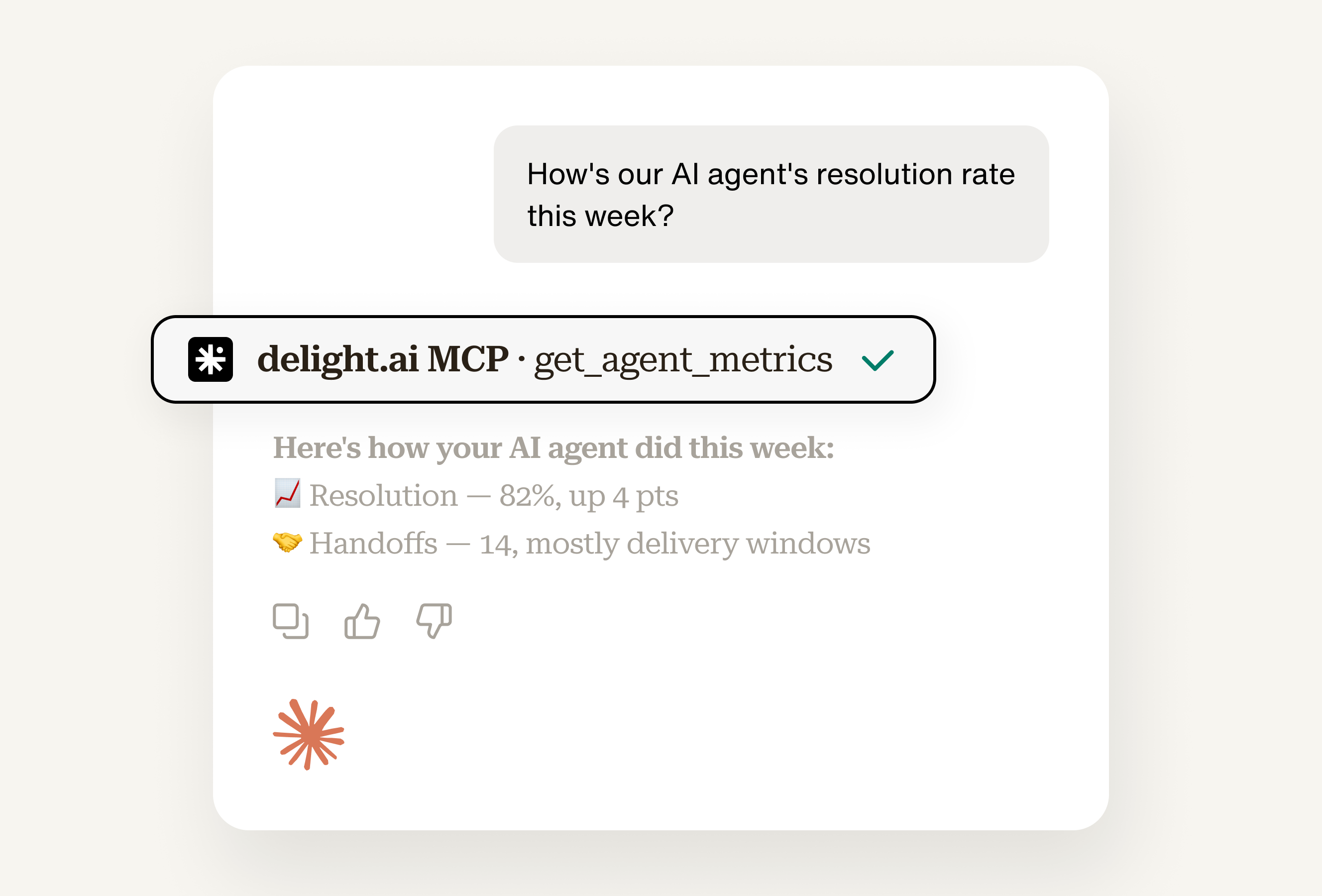
And it doesn't stop at the first number. Ask why handoff rate went up last week, and it traces the answer back through the actual conversations behind it, notices that a cluster of them touched a topic your knowledge base barely covers, and tells you that instead of just handing you an updated chart. Narrow the date range, pull the transcripts behind a specific spike, compare this week against last, all in the same conversation, without switching tools or waiting for someone else to run the report.
You already know how to ask the right question. Now your AI assistant has the data to actually answer it.
How early customers are already using it
Since launch, a growing list of teams, including Mixpanel, have turned to the Delight Agent MCP, not for new data, but for a new way to work with the data that's already there. Here are a few examples of what that looks like.
The knowledge blind spot
Your dashboard shows usage counts for every knowledge source, but a low usage count doesn't automatically mean a source is safe to cut. It might be the one article your highest-value accounts rely on.
Ask your AI assistant which sources are safe to prune, and drawing on the MCP, it can weigh usage against your business's own data in the same AI session, like which customers hit each source and what they're worth, so a rarely used article tied to your biggest accounts doesn't get flagged the same way as one nobody important ever reads. If a source is genuinely safe to cut, or a gap needs filling, it can make that change right there instead of leaving you a list to act on later.
The dead tool problem
A usage graph, or even a scheduled alert on call volume, can tell you a tool went quiet. It can't tell you a tool that's still firing constantly isn't actually helping, because a simple volume count never checks whether those conversations are resolved.
Ask your AI assistant which idle tools are worth fixing first, and through the MCP, it can cross-reference call volume against resolution outcomes in the same answer, so a tool that fires often but still ends in a handoff gets flagged the same way as one that never fires at all. Once you've found the one worth fixing, it can make the fix directly, rather than just handing you a name to go look up in the dashboard.
The silent misunderstanding
Somewhere in your conversation history, your agent misunderstood a customer, and nobody caught it because CSAT still looked fine on average. Ask your AI assistant about any conversation, and pulling from the MCP, it can walk you through exactly where the agent lost the thread, in plain language, instead of you reading through a transcript line by line trying to spot it yourself.
The stalled fix
You already know what's wrong, maybe the wrong actionbook is firing, a tool's headers need fixing, an article needs rewriting. But knowing the fix and actually shipping it have always been two different things, one happens right here, the other has always meant leaving this conversation to open the dashboard.
Ask your AI assistant to update the actionbook, fix the tool, or add the missing source, and it makes the change directly, in the same conversation where you found the problem. Agent-level changes, like instructions, safeguards, or CSAT settings, apply to your dev environment only, so your AI assistant can experiment freely without ever touching what customers see in production.
The delight.ai dashboard shows you what happened. The Delight Agent MCP lets you ask why, and fix it, in the same AI tool you're already working in. Turn it on in your dashboard settings, and start with whatever question has been sitting in the back of your mind.