Every growing brand faces the same tension.
As products grow, the number of webpages, landing pages, campaign assets, and social media content grows with them.
At first, this is simply part of design work. A new campaign needs a landing page. A new customer story needs social banners. A new product message needs web modules. Each request makes sense on its own.
But over time, the work starts to reveal a deeper problem.
The challenge is not creating a single page or a single banner. The challenge is producing them repeatedly while maintaining speed, quality, and brand consistency.
At Sendbird, we started asking ourselves a different question:

That question became the starting point for building an AI-powered brand production system.
The bottleneck wasn’t creativity. It was production.
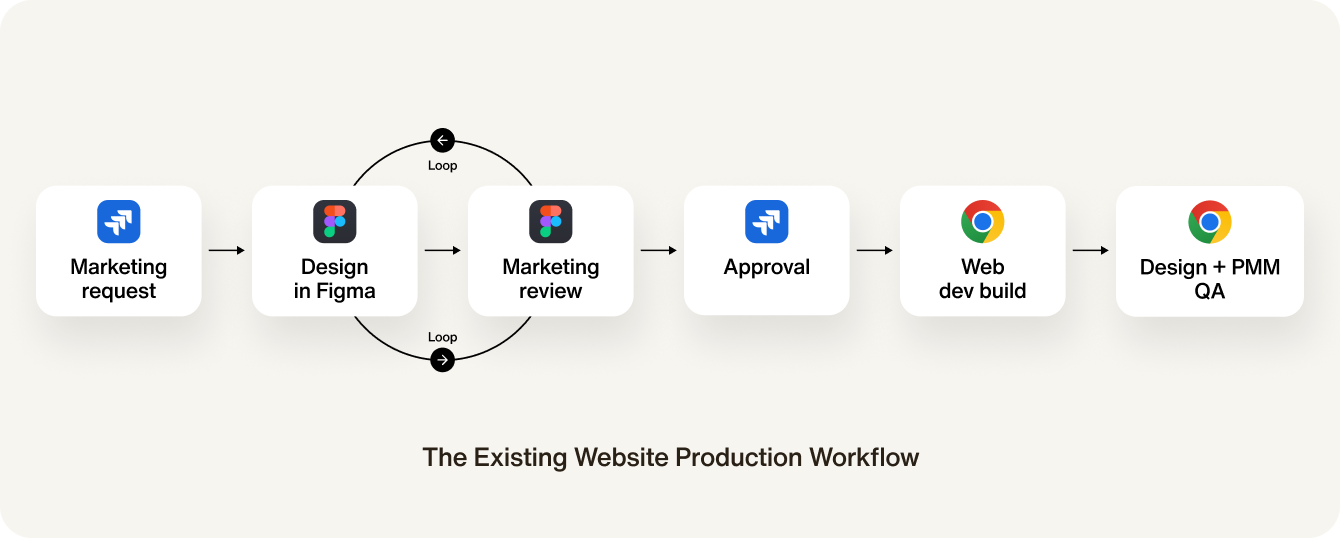
Creating a webpage followed a familiar process.
Marketing submitted a request. Design created the page in Figma. The team reviewed and revised it. Development implemented it. QA followed. Then, finally, the page was published.
Each step was necessary. But together, they created a workflow that was slow, repetitive, and difficult to scale.
A single webpage could take more than five days to complete. Not because the design itself was impossible, but because the production process depended on too many handoffs.
We realized we didn’t need more one-off design work. We needed a better way to produce branded experiences.
Before automation, we needed structure.
AI cannot automate inconsistency.
Before using AI to generate anything, we first needed to understand what was already repeatable.
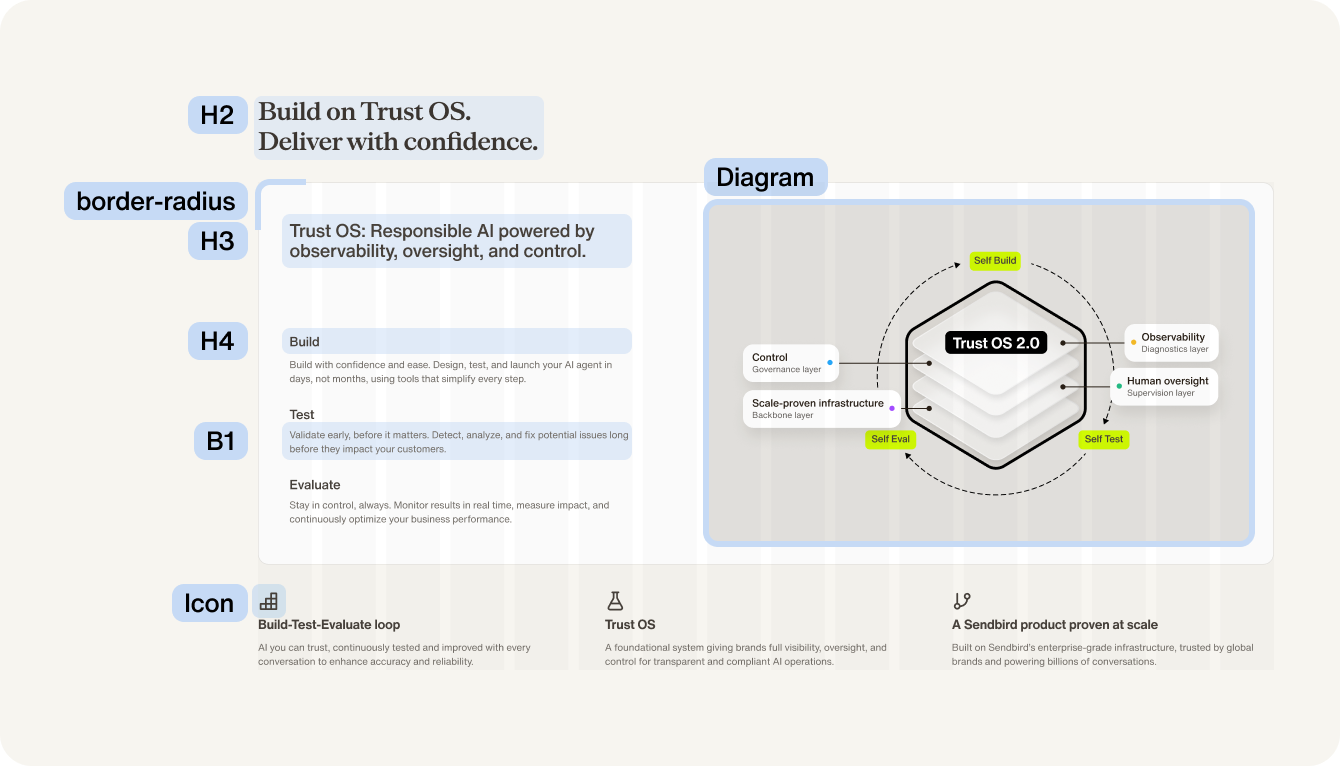
We collected and analyzed the webpages we had created so far. Instead of treating every page as a unique design, we looked for recurring patterns.
- Hero sections
- Feature modules
- Customer logos
- Forms
- CTAs
- Landing page blocks
- And so on
Then we broke those patterns into reusable modules and components.
From there, we defined the rules behind them: typography, color, spacing, grid, layout hierarchy, and responsive behavior.
Automation didn’t begin with AI. It began with turning design into structure.
From design rules to executable systems.
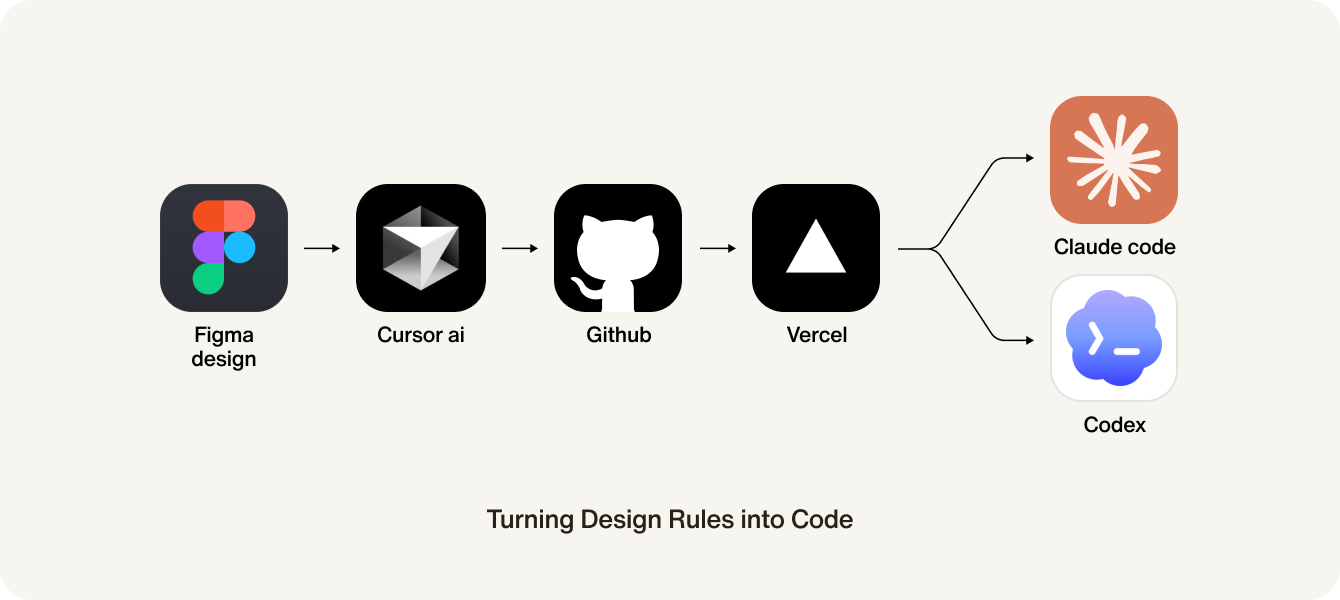
A design system inside Figma is useful, but it is still mostly a reference. We wanted the system to become executable.
Using AI coding tools such as Claude Code, Cursor, and Codex, we began translating design rules into reusable code-based modules and components.
This allowed the system to move beyond static documentation. GitHub became part of the workflow, helping us manage versions, maintain consistency, and evolve the system over time.
The design system was no longer just something designers referenced. It became a foundation that could actually produce websites and brand assets.
One foundation. Multiple outputs.
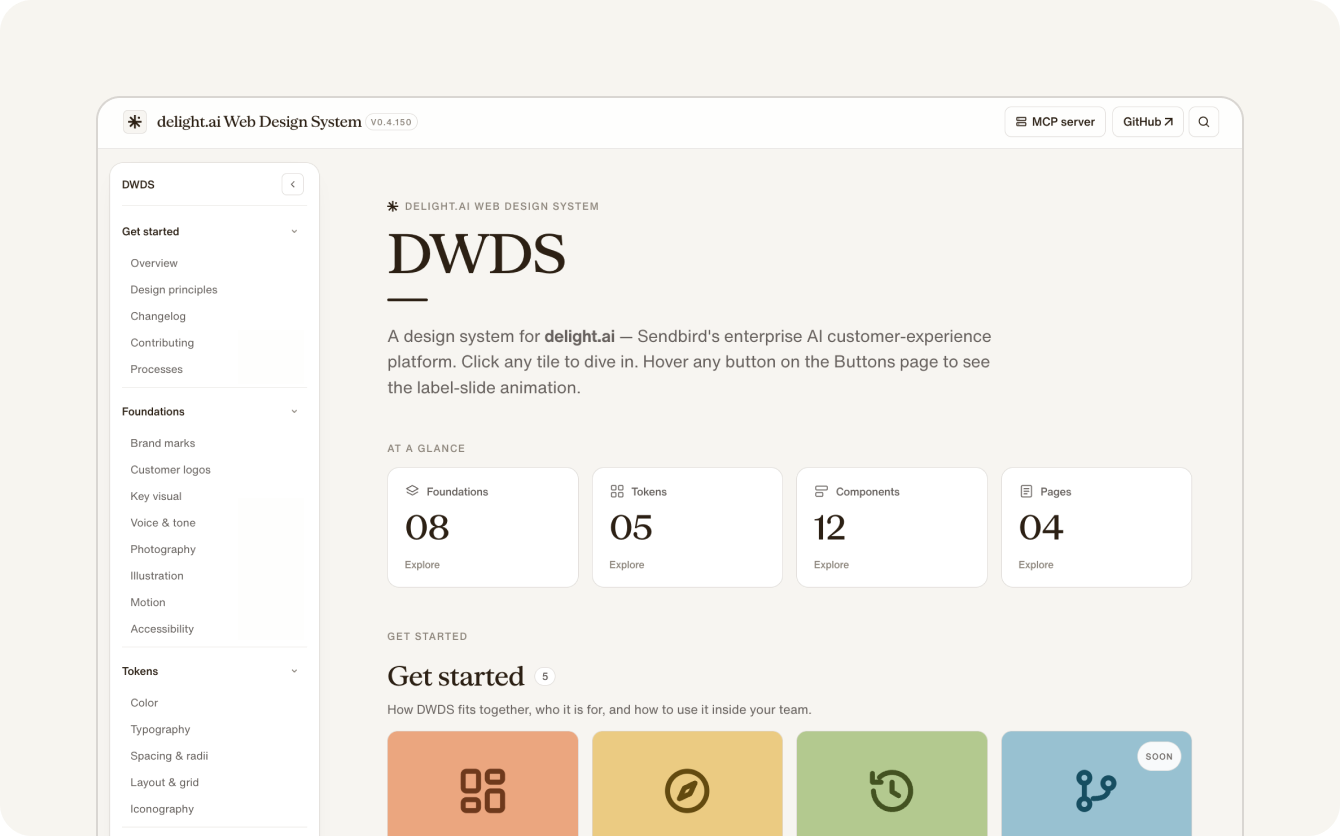
The result was the Delight Web Design System.
It brought together the assets and rules we need to produce consistent brand experiences:
- Customer logos
- Brand key visuals
- Typography and color guidelines
- 1,700+ icons
- Form components
- Landing page modules
- A social banner builder
- And more
Instead of managing each asset separately, we created one foundation that could support multiple outputs.
A website page and a social media banner may look like different deliverables. But from a system perspective, they can share the same brand logic.
That was the key shift.
We stopped thinking about design assets one by one, and started thinking about how the brand could be produced as a system.
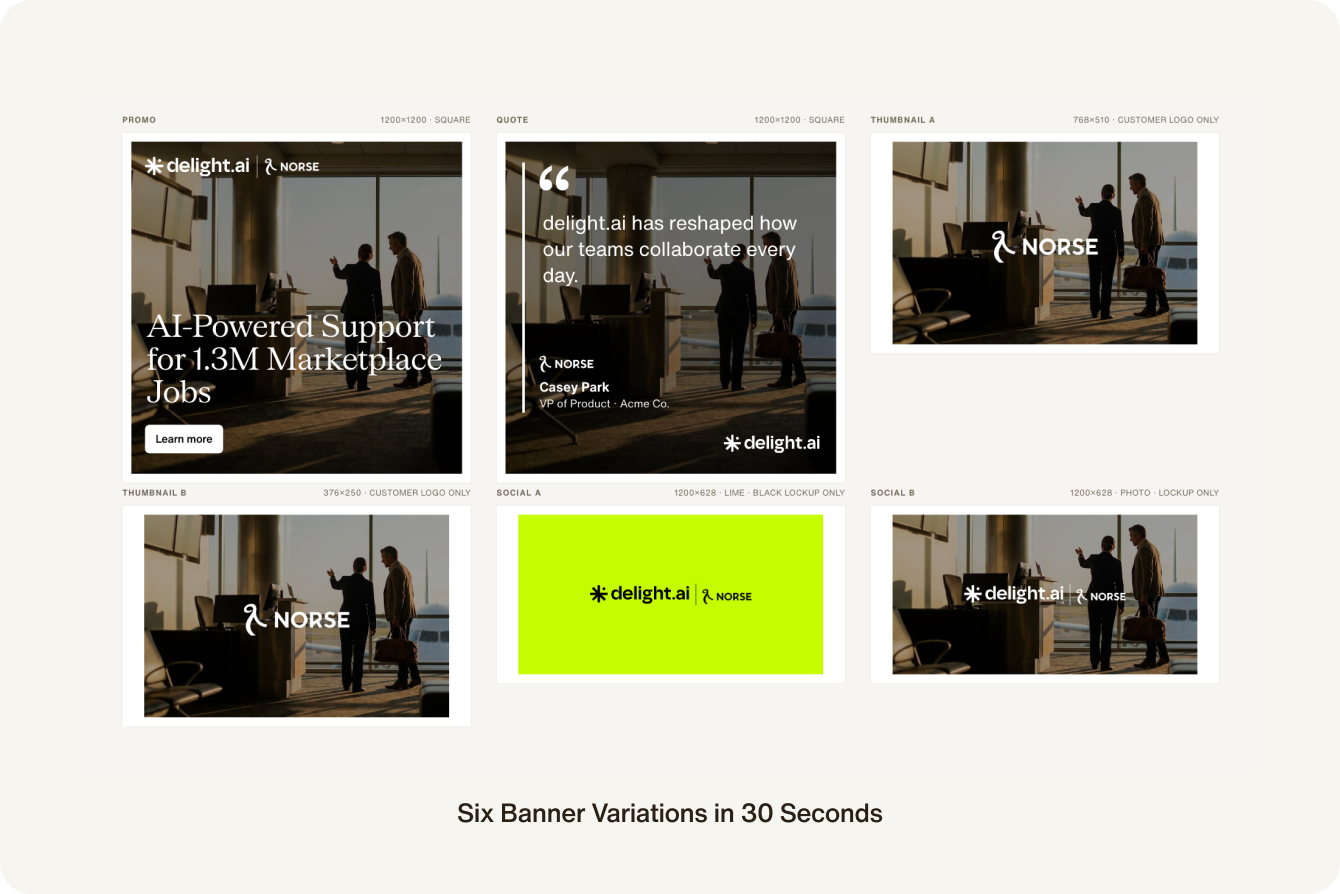
Scaling social banner production.
Social media banners were one of the clearest examples of this shift.
Previously, creating multiple banner variations could take a full day. A designer had to create the layout, apply the right brand assets, adjust visual hierarchy, export each size, and make revisions.
With the banner builder, a full set of six LinkedIn banners can now be generated in around 30 seconds.
More importantly, the output still follows the same brand rules.

It is about removing repetitive production work, so designers can focus on systems, quality, and direction.
Redesigning the website workflow.
The same idea applies to website creation.
Instead of starting every page from a blank Figma file, marketers can begin with reusable page modules built on top of the design system.
Designers no longer need to manually recreate every similar layout. Instead, they can review, refine, and improve the system itself.
This changes the role of each team.
Marketing can move faster. Design can focus on quality and governance. Development receives more consistent structures. The overall production cycle becomes shorter.
What previously took more than five days can now be completed in about one day.

What we learned.
This project started as an attempt to improve production speed.
But the bigger lesson was about the role of design systems.
A design system is not only a library of visual rules. It can become a production layer for the entire brand.
AI made this possible, but AI was not the starting point.
The starting point was deciding what should stay consistent, what should become reusable, and where human judgment still matters.
For us, the future of design is not about creating more assets faster.
It is about building systems that allow good design to scale.
That is what Design Once, Scale Everywhere means.