Openbook: Visual flow navigation for your Actionbooks

Actionbooks grow. What starts as a clean set of rules grows into nested conditionals, branching intents, and stacked policy changes over time. The editing part is manageable, but finding the right thing to edit isn't. When legal updates the return window, which condition needs to change? When something behaves unexpectedly, which branch is responsible? You open the source view and start scrolling through thousands of characters of nested markup.
When updates feel like too much work, teams stop making them, and actionbooks drift until the AI is running on logic nobody's reviewed in months.
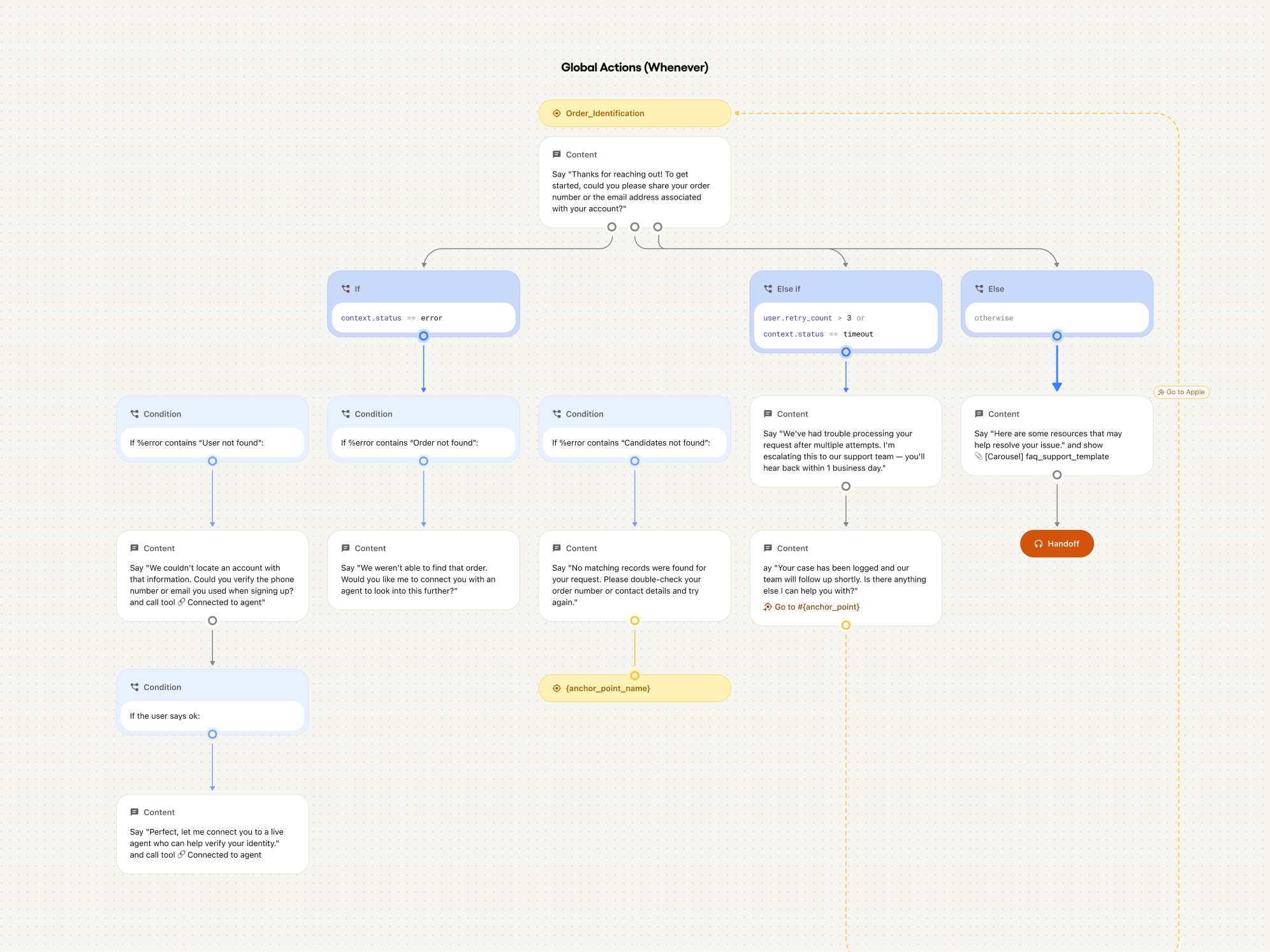
Openbook renders your actionbook as a visual flow, giving you the 10,000-foot view of your entire document structure, so you can orient first and edit precisely.
How it works
- Flow view: Toggle from Source to Flow view and the entire actionbook opens as a structured visual map — section headers at the top, intent blocks branching below, conditional paths fanning out, every node labeled. See how everything connects before you touch any of it.
- Click-to-navigate: Click any node in the flow and the editor jumps directly to that section. No scrolling, no line counting, no searching.
- Tree panel: A hierarchical outline mirrors the full actionbook structure at a glance — every section, every intent block, every conditional branch.
- Works alongside Actionbook Editor: Openbook and Actionbook Editor share the same workspace. Find the node in the flow, click, land in the editor at that exact section, make the change, save.
Openbook is the “See it” pillar of Trust OS — making AI logic visible and navigable so teams can maintain it with confidence at any scale of complexity.