Actionbooks grow. What starts as a clean set of rules — handle returns here, escalate there, respond to billing questions like this — compounds over time. New intents. New conditionals. Policy updates layered on top of previous policy updates. A returns workflow that was 10 rules in January is 35 by June.
The editing part is solved. Actionbook Editor lets your ops team maintain the logic directly, without engineering. But there's a problem that comes before editing: knowing where to look.
When legal updates the return window from 30 to 45 days, which condition needs to change? When a new product launches and you need to add an intent, where does it fit in the existing structure? When something behaves unexpectedly, which branch is responsible?
You open the source view and start scrolling. At scale, that looks like this:
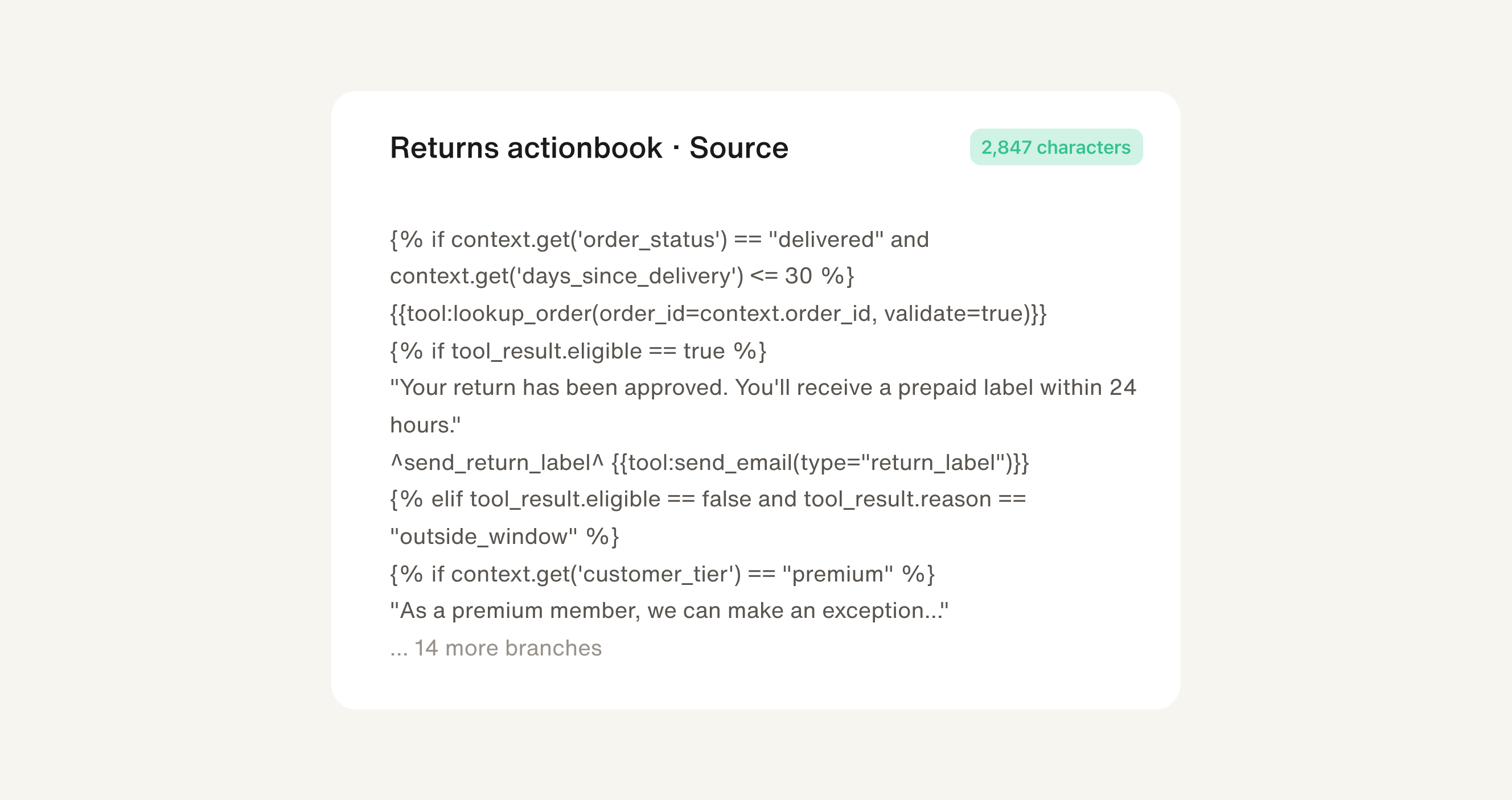
The fix you need to make is simple. Finding it in 2,847 characters of nested markup is not.
The map your actionbook never had
Openbook renders your actionbook as a visual flow. Not to trace decisions — to navigate the document. Toggle to Flow view and the entire actionbook opens up as a structure you can actually read: section headers at the top, intent blocks branching below, conditional paths fanning out, every node labeled.
This is the 10,000-foot view. You're not editing yet — you're orienting. You can see that the refund threshold lives in the third branch of Global Actions. You can see there are five intents, and the escalation path connects them all. You can see how the whole thing fits together before you touch any of it.
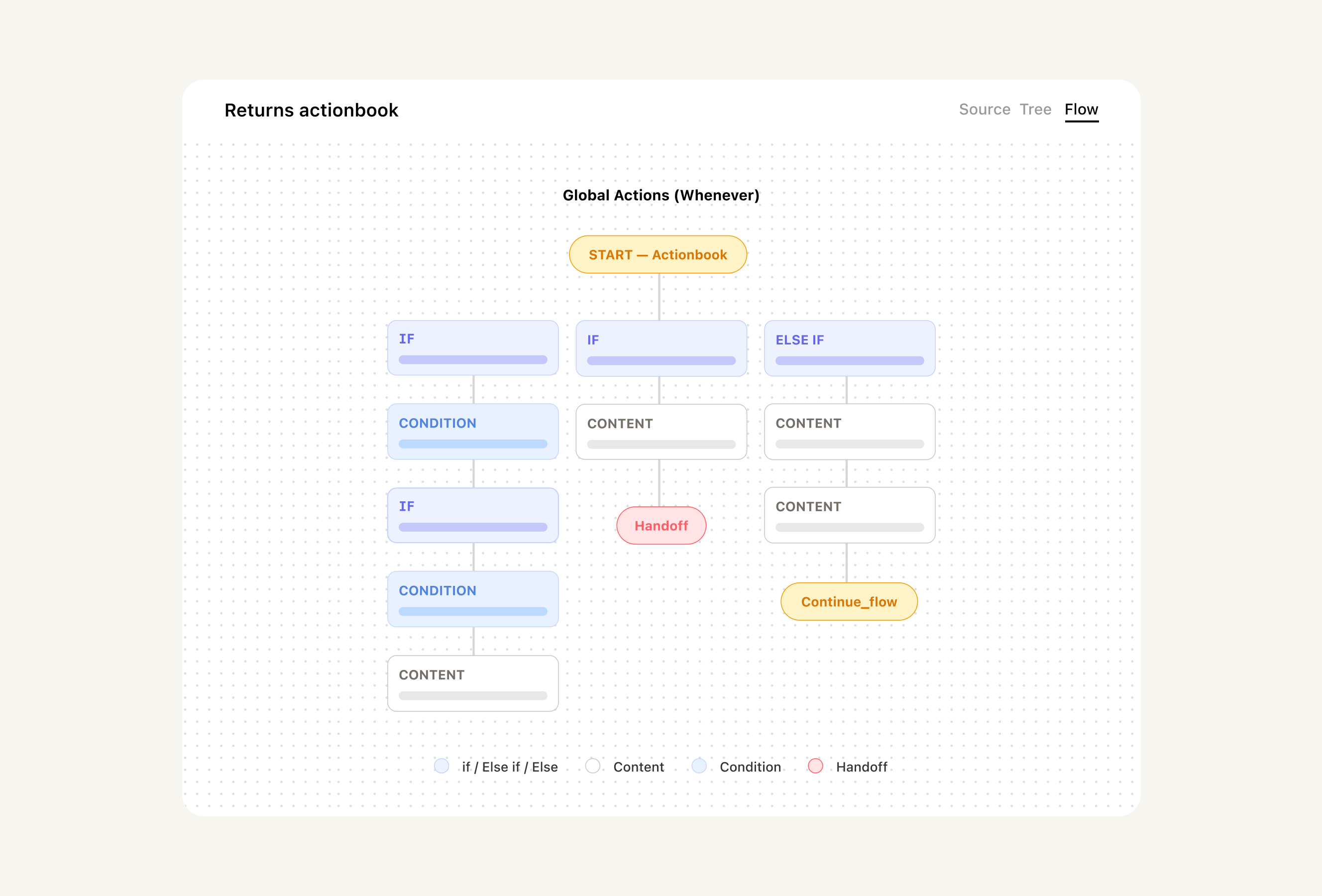
The Flow view doesn't change what your actionbook does. It makes the structure visible — the same logic, rendered as a map instead of a wall of markup.
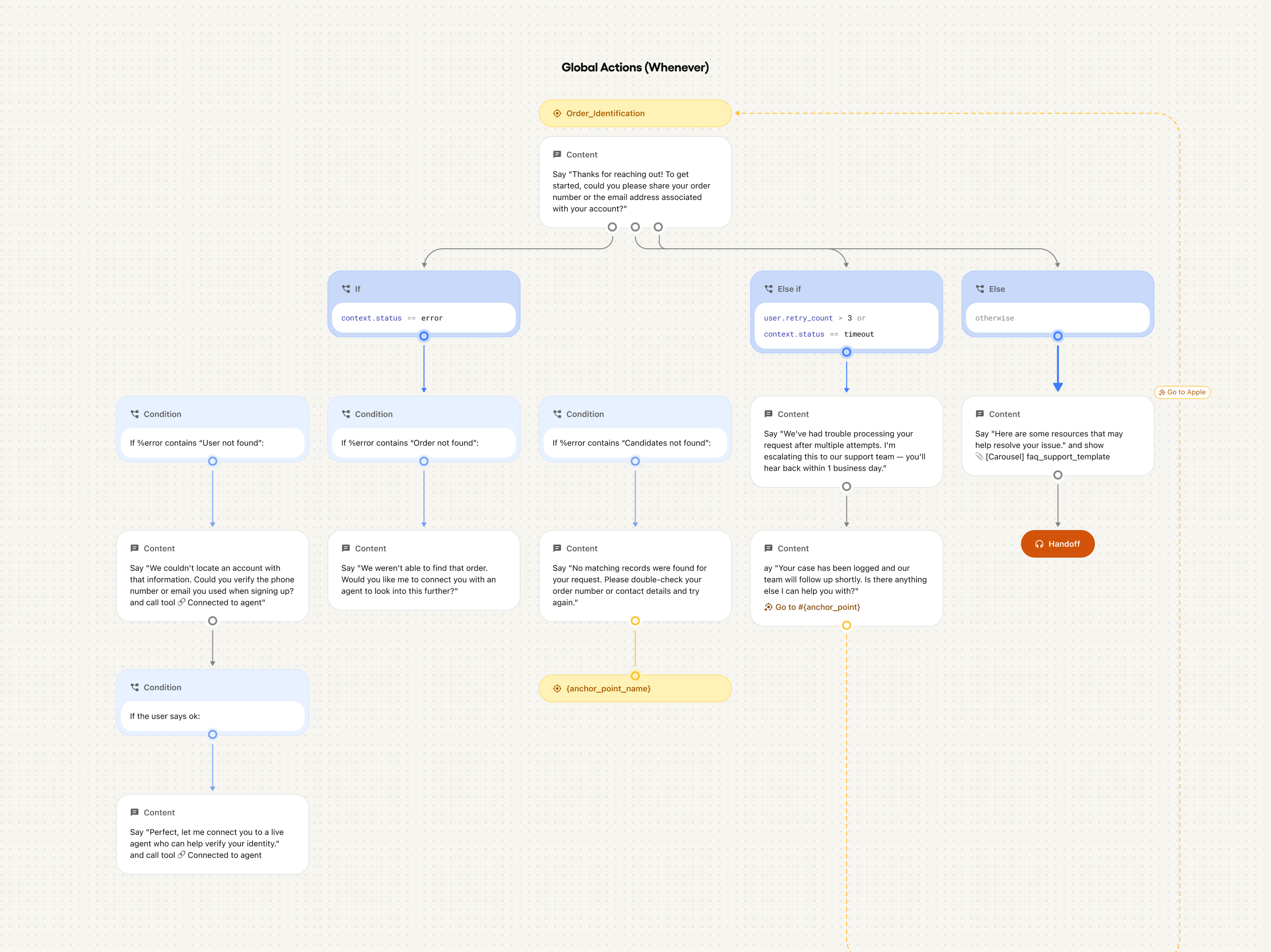
10,000 feet to 10 feet in one click
Once you know where you're going, getting there is instant. Click any node in the flow and the editor jumps directly to that section — no scrolling, no counting lines, no searching.
The 10,000-foot view is the structure. The 10-foot view is the specific rule — the one condition that needs updating, the threshold that changed, the intent that's missing. Openbook makes the distance between them a single click.
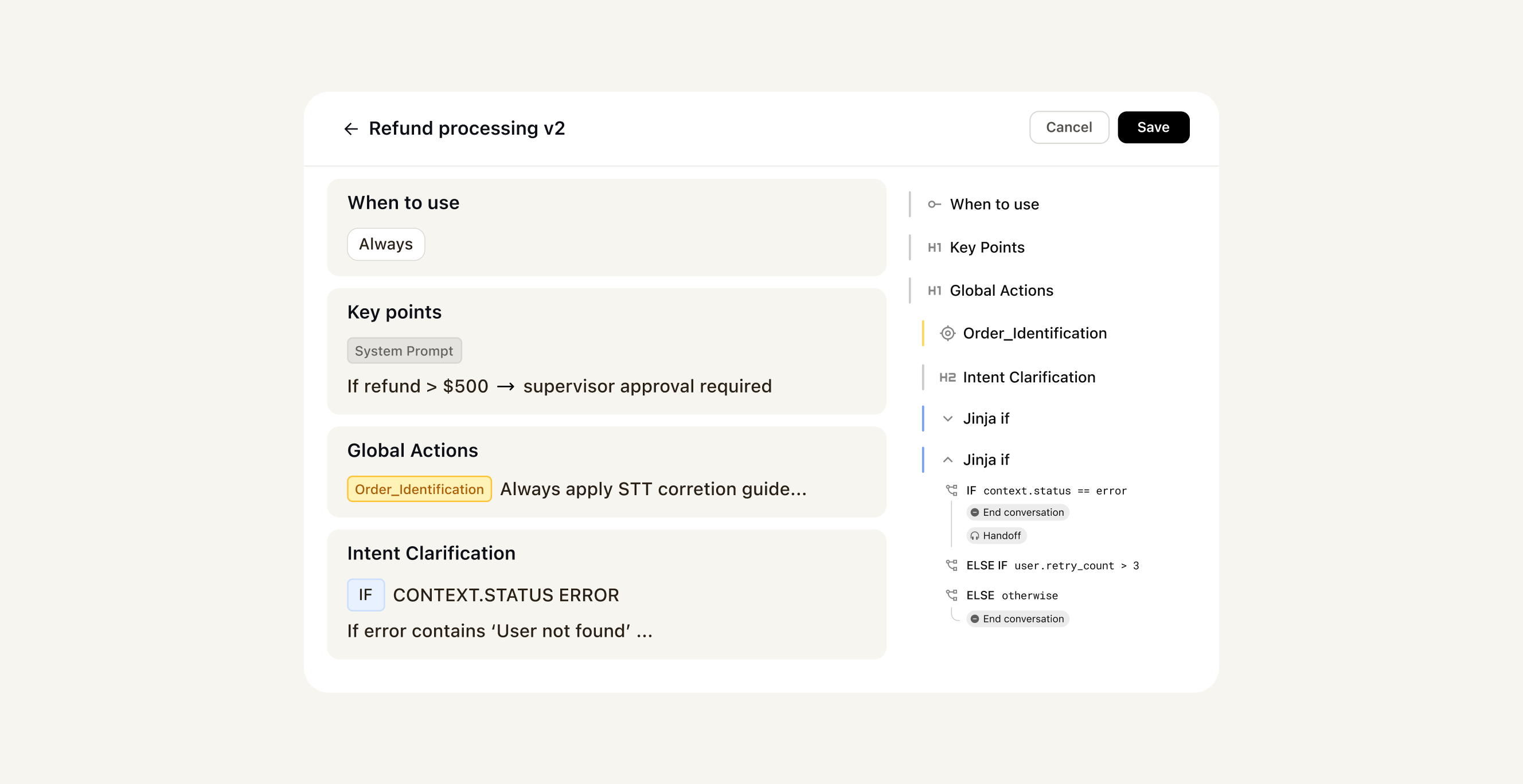
Built to work with Actionbook Editor
Openbook and Actionbook Editor live in the same workspace by design. You don't find a problem in the flow and then go somewhere else to fix it. You click the node, land in the editor at that exact section, make the change, and save. The loop from I need to update this to done closes in under a minute.
Most teams underestimate how much the navigation tax slows down maintenance. It's not the editing that's hard — it's the hunting. Every time someone needs to make a change and spends five minutes finding where the rule lives, that's friction that compounds. Teams start avoiding updates. Actionbooks drift. The AI runs on logic that nobody's touched in months because touching it felt like too much work.
Openbook removes that excuse. Openbook is the See it pillar of Trust OS 2.0 — and it's the one that makes the other two actually usable.
The bigger the actionbook, the more you need this
When an actionbook is 10 rules, you hold it in your head. When it's 35 sections with nested conditionals, cross-intent anchor links, and six months of accumulated policy changes — you need a map.
Openbook is that map. The teams that maintain the most sophisticated AI deployments don't just edit their actionbooks — they navigate them. They zoom out to understand the full structure, zoom in to make a precise change, and move between those two views without friction. That discipline is what keeps complex logic from becoming unmaintainable over time.
Your actionbook is already written. Openbook makes it readable.