Delight.ai has always given teams two environments to work with: Development for building and initial testing, and Production for live customer traffic. For many teams, that was enough. But as AI agents take on more consequential work — deeper integrations, stricter compliance requirements, higher stakes per conversation — the gap between dev and prod has become a real liability.
There are two ways dev falls short. The first is configuration fidelity: development environments run simplified setups that don’t fully mirror production. A new webhook that breaks escalation routing, or a knowledge base update that changes behavior in unexpected ways, won’t necessarily surface in dev — but will the moment it hits real customers.
The second is isolation. In dev, you’re typically working on several things at once — different flows, different policy updates, different knowledge changes, all at different stages of readiness. When you want to ship just one of those changes, you have no clean way to test it on its own. It was only ever validated alongside everything else in flight. Conversely, a change that keeps failing in dev might be blocked by another unfinished change — and would work perfectly fine in production — but you have no way to know that without going live.
Dev environments are built for building. The problem is that “built for building” and “built for validating production-grade behavior in isolation” are two different things.
Staging environments add the dedicated layer between development and production that was missing — a full mirror of your production configuration, running completely isolated from customers.
A copy of production, not a better dev environment
This is the key distinction: staging isn’t another place to build. It’s a copy of production, cut off from real customer traffic.
When you promote from development to staging, you get your full production setup — real integrations, real security policies, real configuration — running in an environment where zero customers are affected. You can test with production-grade complexity without production-grade consequences.
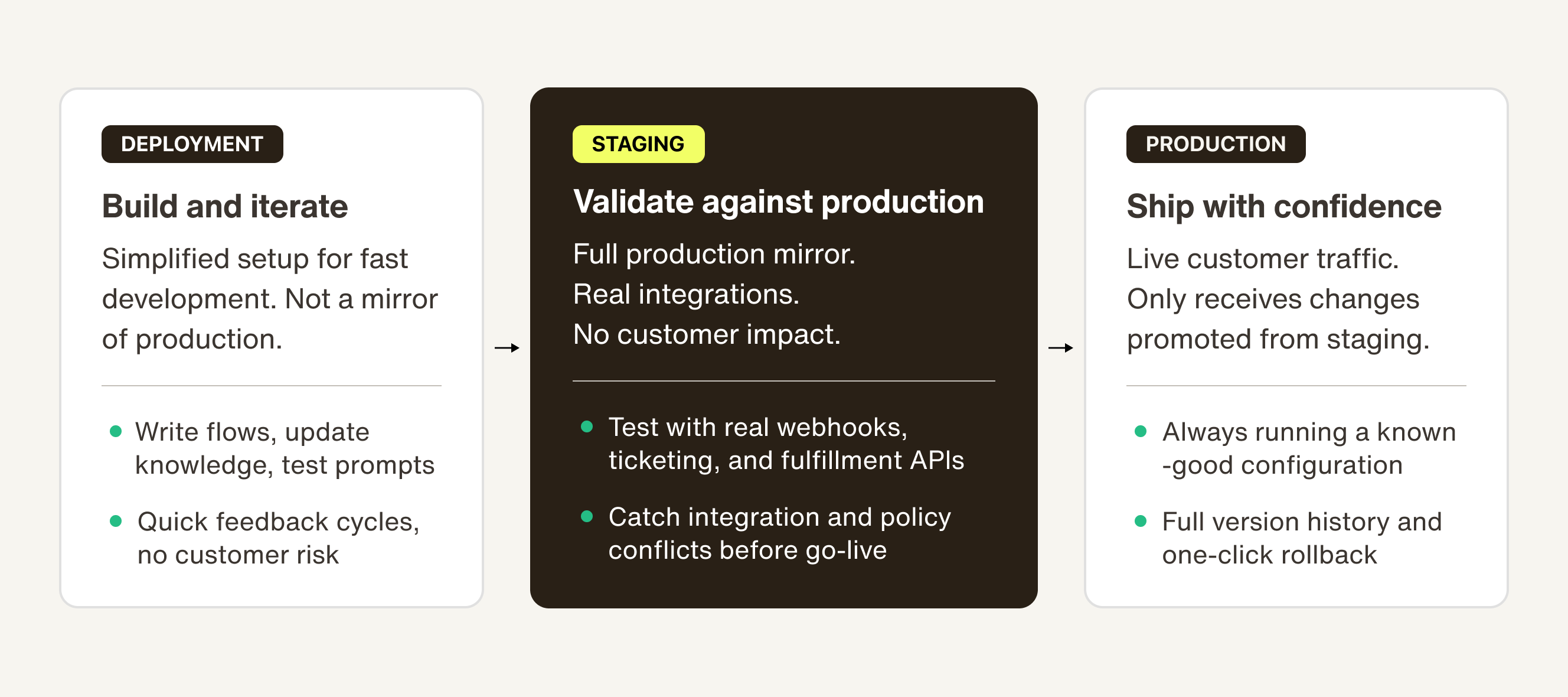
By default, the deployment path is Development → Staging → Production. Every promotion is logged with a timestamp, the author, and a diff of what changed. If something goes wrong, you can roll back to any prior version. Teams that want to keep things simple can hide staging and collapse back to Development → Production — but the guardrails are on by default.
Why this matters at scale
For smaller agents handling straightforward queries, skipping straight from dev to prod is manageable. But as agents take on more consequential work — resolving billing disputes, routing escalations, pulling from live order systems — the blast radius of a bad deploy grows. A knowledge base update that inadvertently changes how refunds are handled, or a policy change that breaks handoff to a human agent, isn’t a test failure. It’s a customer incident.
Staging is the place where those issues surface before they become incidents. And once you have a stable staging environment, it opens up more sophisticated ways to ship safely. Gradual rollout lets you promote a change to a percentage of live traffic first, so you can validate behavior at scale before fully committing. A/B testing takes it further — running two configurations simultaneously against real traffic so you can compare performance, resolution rates, or CSAT before deciding which version wins.
Staging environments are part of Trust OS — delight.ai's operational layer for running AI agents responsibly at production scale. Trust OS brings together the deployment controls, governance, and observability that enterprise teams need to move quickly without losing oversight of what their agents are doing.