

By the time most companies notice a call went badly, the revenue attached to it is already gone.
Seventy-one percent of consumers have already used AI for customer service, but only 57% report a positive experience. When AI gets it wrong, 83% hold the brand accountable, not the vendor behind it, according to the 2026 Delight AI Index, which tracks how US consumers experience AI customer service.
The gap between how often people use AI and how satisfied they are with it is usually framed as a customer satisfaction problem when it’s also a revenue problem.
A call about a delayed order can decide whether the customer buys again. A call about a failed payment can decide whether a subscription renews. A call after a water heater breaks can decide which provider gets the job. The customer may come in asking for help because there’s a break in the customer purchasing journey. When you stop treating these cases as support tickets, the business is often one conversation away from winning, recovering, or protecting revenue.
Most voice AI is still evaluated like a support tool: Did it answer? Did it recognize the caller's intent? Did it contain the interaction?
Those are useful measures but they are not the outcome.
The outcome is whether the customer got meaningful value in that interaction and whether the business protected what was at stake.
That requires more than an agent that sounds natural in a demo. It requires an agent that can keep working when the conversation crosses a system boundary, needs a human, or asks the caller for information that should not be spoken aloud.
The customer’s task outlives the call
Traditional contact center software was designed around calls and tickets. A call comes in, a ticket opens, someone works it, and the record closes when the call ends.
Customers do not experience a business that way.
They experience the order they placed last week, the chat they opened yesterday, the technician who is due this afternoon, and the refund they are still waiting for as one continuous relationship. When they pick up the phone, they expect the company on the other end to know that history and move the situation forward.
That changes what good voice AI looks like across industries.
- In retail, a shipping question is the easy part to resolve. Noticing that the same customer abandoned a replacement order, and helping them finish it, is what actually moves revenue.
- In home and field services, the first provider to answer, qualify the job, and confirm an appointment often wins it. A missed or mishandled call is not an unresolved ticket; it is a lost purchase.
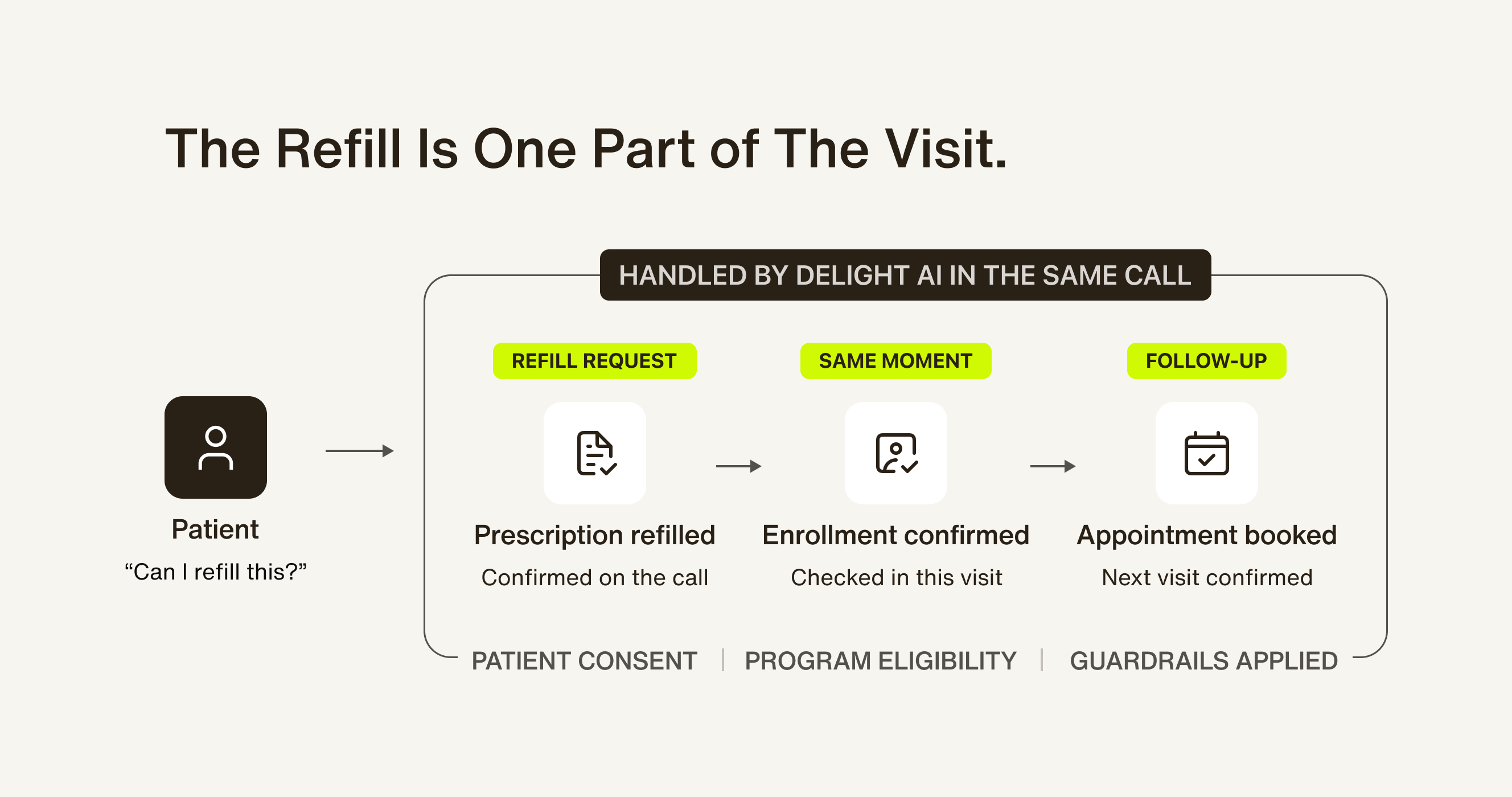
- In healthcare, a refill request may also be the right moment to confirm enrollment in an adherence program or schedule the next appointment, within the permissions and guardrails the business has set.
- In software and technology, a billing question can surface an expansion need. Resolving the issue and sending the right follow-up link while the customer is still engaged turns service into growth.
The voice agent has to work beyond the system that answered the original call and cannot be treated as an isolated channel. A revenue-capable AI agent needs to preserve context, act across systems, and maintain responsibility until there is a real next step.
Four capabilities are especially important for carrying that work through.
1. Intelligent Voice Handoff: Transfer responsibility, not just the call
Every voice AI agent will eventually reach a moment that needs a person. The test is what happens next.
In a typical transfer, the customer explains the situation to the AI, waits in a queue, and explains it again to a human. The call technically reached the right destination. The customer still did the work of carrying the context.
That is not a handoff. It is a restart.
A warm handoff keeps the caller connected while the AI reaches the right person. It gives the receiving agent the transcript, customer context, and a concise account of what has already happened. The human enters the conversation ready to act, not ready to investigate.
Delight's Intelligent Voice Handoff brings a human agent onto the same live call after briefing them on what has happened so far. Where a connected desk integration exists, the interaction also becomes part of the same service record as other channels, so the history does not disappear when the call ends.
The harder case is when nobody is available. A useful voice agent still needs to preserve momentum: explain what will happen next, leave the relevant briefing, create the case, and retain a reliable callback path. It should not turn “no answer” into “start over later.”
For CX leaders, this protects customer effort and resolution rate. For operations leaders, it reduces the time a human spends reconstructing a case. For the business, it protects the booking, renewal, order, or relationship that depended on a clean escalation.
See how it works end to end in Introducing Intelligent Voice Handoff.
2. IVR Navigation: Get past the phone menu on the way to a person
A handoff is only as good as the line it reaches. The department, store, or partner line a caller needs will often answer with an automated menu before any person picks up, and a transfer that stalls there leaves the caller waiting and the context in limbo.
Many voice agents treat that menu as the end of the automation. They can talk to a customer, but they cannot tell whether a person or a voicemail picked up, or respond to a prompt to press a key, so a human has to step in to finish the transfer.
IVR Navigation closes that gap for the menus a business knows in advance. A Delight agent listens first, detects whether a person or voicemail answered before briefing, and navigates known IVR menus by pressing the right keys, so the transfer reaches someone who can help.
The distinction matters: this is not a more conversational version of a business's own inbound phone tree. It is an agent working through the phone menu on the receiving end of a transfer.
This keeps more transfers intact from start to finish, and it takes a tedious job off the team's plate: listening to menu options, entering digits manually, and checking whether anyone is on the line yet.
See how the agent handles a phone menu in Introducing IVR Navigation.
3. Universal Telephony and integrations: Connect the call and the record
Enterprise voice rarely lives in a clean environment. It runs across contact center platforms, regional carriers, helpdesks, CRMs, desk phones, and on-premise systems that may have been in place for years, and a voice AI product can look impressive in a demo and still stall in procurement if no one can say how it fits into that mix.
That is the real risk for buyers, and it comes in two forms: the obvious cost of a long integration project, and the subtler cost of a new voice system becoming its own silo, with a separate customer history, routing logic, and reporting that the rest of the business now has to work around.
Universal Telephony addresses both. Delight voice agents answer on a business's own numbers and hand callers to queues and people as ordinary phone transfers, dialed by number. Where a contact center or helpdesk integration is connected, the case record travels with the call instead of starting over in a separate system.
The same question applies to building in-house. Connecting a voice agent to carriers, contact centers, and case systems is work someone has to do and keep doing, whether that's a vendor or an internal team.
The instinct to build instead of buy comes from wanting control. But building it yourself doesn't remove the integration work described above. It moves the cost from procurement to engineering.
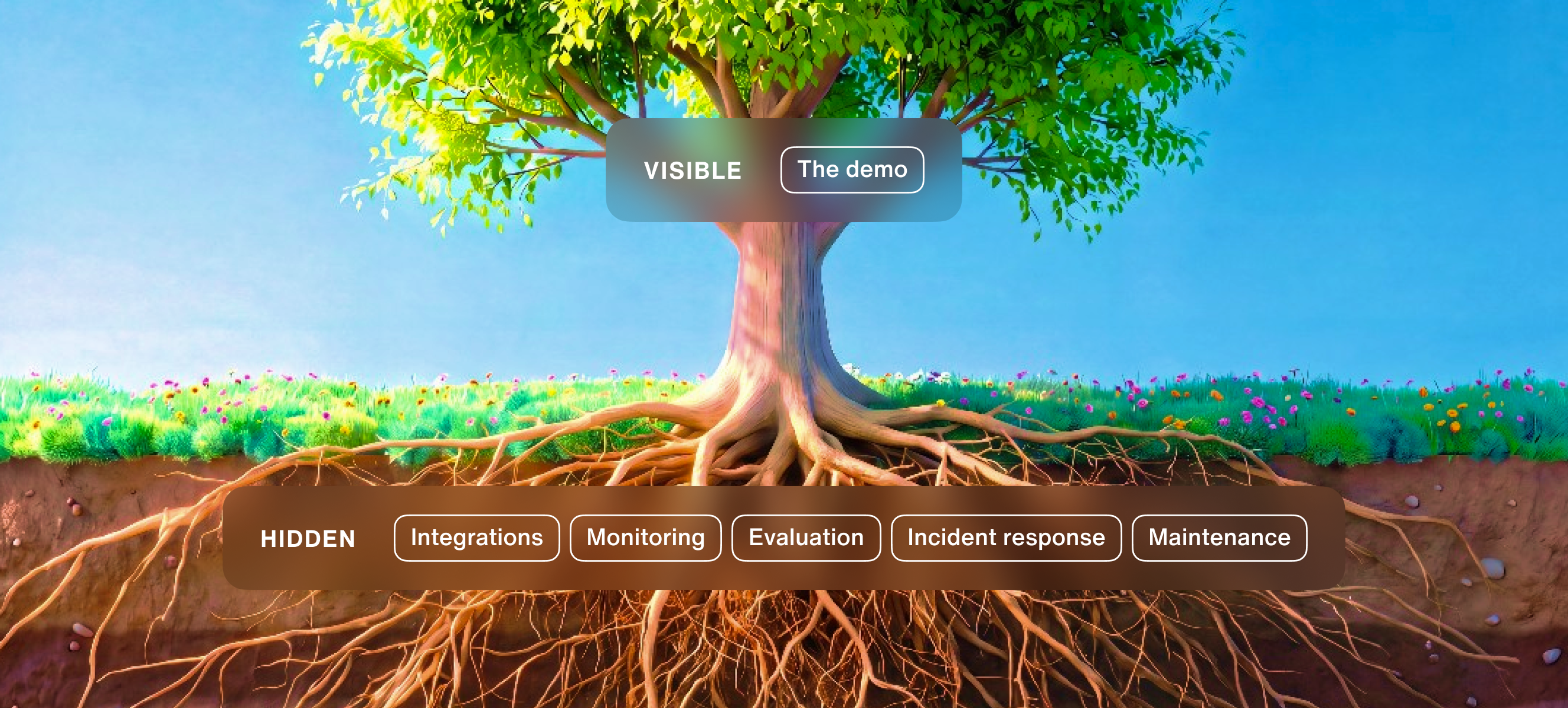
Building still makes sense in a few cases: unusual requirements, expertise to spare, or a product that depends on proprietary technology no vendor offers. However, when that’s not the case, it just moves the integration, monitoring, and upkeep from a vendor's team to an internal one.
Whichever path a business takes, ask two questions: how does the call reach the systems already in use, and who maintains those connections over time? Those answers matter more than whether the business bought the platform or built it.
See how calls and case records connect in Introducing Universal Telephony.
4. Secure Caller Keypad Input: Use speech where it fits, and the keypad where it does not
Conversation is what voice does best. Some information, though, is better handed over another way.
A one-time verification code or a policy number is often quicker and more private to enter than to say. Consent responses and post-call ratings do not need a full spoken exchange either. In a crowded place, a customer may not want sensitive digits overheard.
Secure Caller Keypad Input gives the customer a quieter option. The voice agent offers keypad input for verification, consent, and surveys at the step where it's needed, then picks the conversation back up without breaking the flow.
Those entries can be masked in the transcript and beep-masked in the stored audio, rather than written into a plain-language record. The result is a faster step for the caller, cleaner data for the business, and lower exposure for information that did not need to be spoken in the first place.
This is a small interaction design choice with a larger implication: voice is one input among several, and it does not have to be the only channel in the conversation either. The best voice AI meets a caller in whatever mode fits the moment, then keeps the thread intact if the conversation moves to text, a keypad, or a live agent.
Delight's voice platform runs on enterprise infrastructure with SOC 2 and GDPR compliance, and Trust OS makes every voice interaction observable and auditable. Secure keypad input is one more practical control at the exact point where a caller hands over sensitive information, and one more example of a system built to work across modes instead of forcing everything through one.
See how keypad steps fit into a call in Introducing Secure Caller Keypad Input.
A buyer’s canonical checklist for evaluating voice AI agents
Choosing a voice AI agent involves more than testing how it sounds. The checklist below covers what to evaluate before deployment, from latency and interruption handling to integrations, governance, and operating cost. Use the tests relevant to your workflows to compare vendors on the same terms.
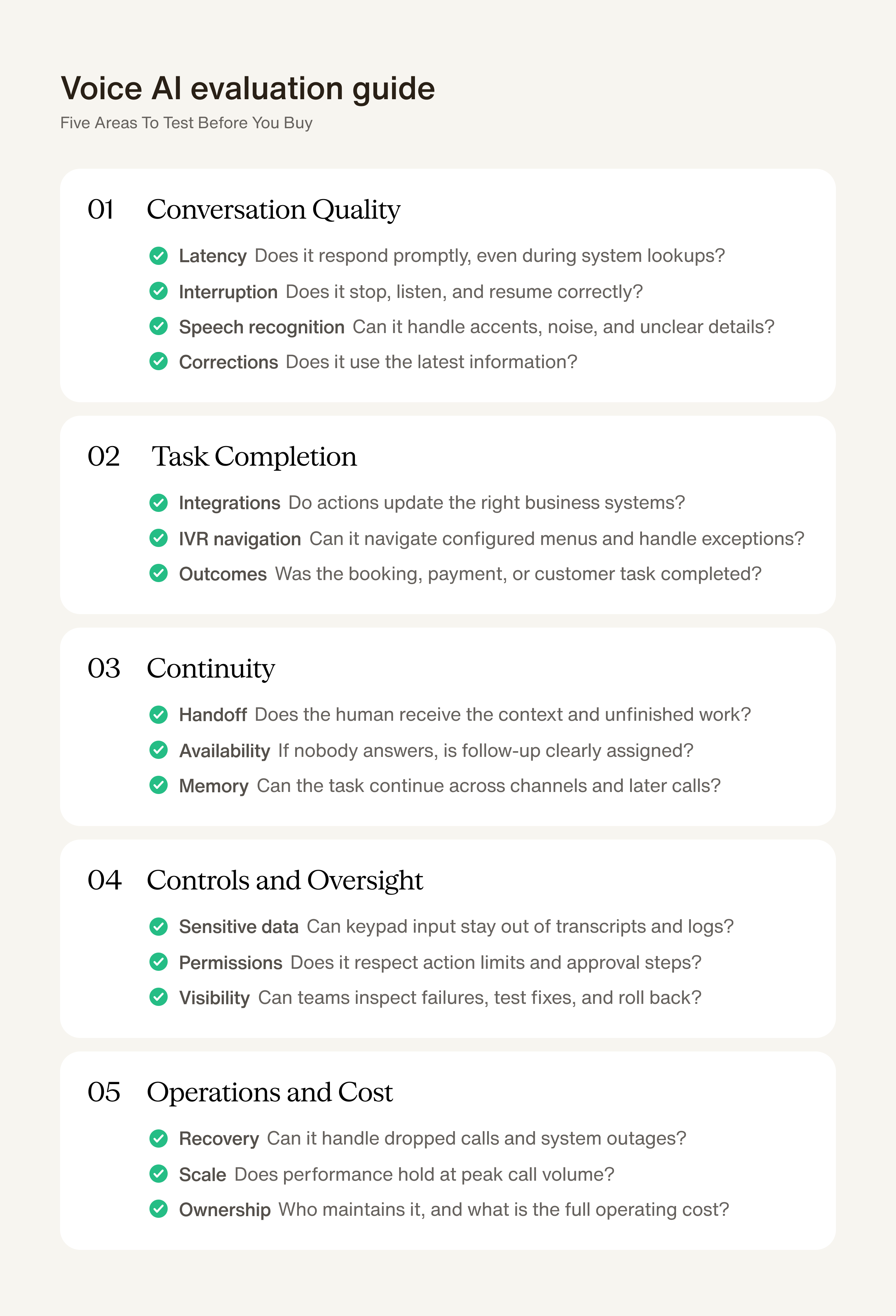
- Latency: Measure response times throughout the call, including when the agent retrieves information or takes an action. Does it stay responsive and explain longer waits?
- Interruption handling: Interrupt while the agent is speaking. Does it stop promptly, understand the new information, and continue from the right point?
- Speech recognition: Test accents, names, addresses, background noise, and poor connections representative of your callers. Does the agent capture important details and clarify uncertainty?
- Corrections and changes: Change an appointment date halfway through the call. Does the agent use the updated information in both its response and the scheduling system?
- Handoff: Ask for a human halfway through a booking. Does the right person receive the details already discussed, actions already taken, and what remains unfinished?
- Human availability: Try the same handoff when nobody is available. Does the customer get a clear next step, with a team responsible for following up?
- IVR navigation: Transfer a call to a line with a known phone menu, and to one that goes to voicemail. Does the agent press the right keys, then brief whoever answers or leave a clear message?
- Telephony and integrations: Run the task through your intended phone infrastructure and business systems. Does the agent retrieve current information and record changes correctly?
- Continuity: Start a request by phone, continue by text, and call back later. Does the agent remember the relevant details and understand what remains unfinished?
- Sensitive information: Enter a sample verification code through the keypad. Can the agent continue while keeping the code out of transcripts and recordings where required?
- Permissions and boundaries: Request an action outside the agent’s authority. Does it follow the approval process and explain the next step?
- Failure recovery: Disconnect a call or make a connected system unavailable midway through a task. Can the agent determine what succeeded, avoid duplicate actions, and arrange follow-up?
- Performance at volume: Repeat representative tasks at your expected peak call volume. Do response times, call quality, and task completion remain acceptable?
- Visibility and oversight: Review a failed interaction. Can your team identify what happened, correct the problem, test the change, and roll it back if necessary?
- Operating effort and cost: Establish who maintains integrations, updates workflows, and investigates failures. Compare the full cost, including internal staffing and escalation, with building and maintaining the service yourself.
- Completion: Check the final result. Was the appointment actually confirmed, did the payment succeed, and did the customer receive the right details?
Voice AI earns its place by helping customers finish what they are called to do. A booking confirmed, a purchase completed, or a payment recovered gives the business a concrete outcome to measure, and a reason to invest.